Table of contents
Open Table of contents
Quick reminder
As seen in the last part of this series, timing is a very important concept in animation. Just a quick reminder: Timing determines when an action is happening but also how often it is happening. It sets the rhythm of where things happen in the animation. Spacing on the other hand conveys a different message. That’s what we will be talking about in this part.
General definition
Spacing takes the timing of an animation and says “And now, add a little bit of … spice”. What do I mean by that? Let’s say we have a pendulum that swings from left to right and I want to do a few animations that always have 5 frames which means the timing doesn’t change. Here’s the catch: Each animation should convey a different moving speed (or generally a different type of movement) of the pendulum. Huh?! That’s where spacing comes into play. Spacing is the distance between each frame. To understand what is meant by this we have to take a look at a concept called easing.
Easing
Easing in our out of a position means that you as an animator set the tone for how fast the movement of the animated object is from each action point or frame to the next. Let’s go back to the pendulum example and look at this visually
Easing in
For our pendulum easing in means that the final frames are drawn together more closely.
If an even spacing without easing in looks like this:
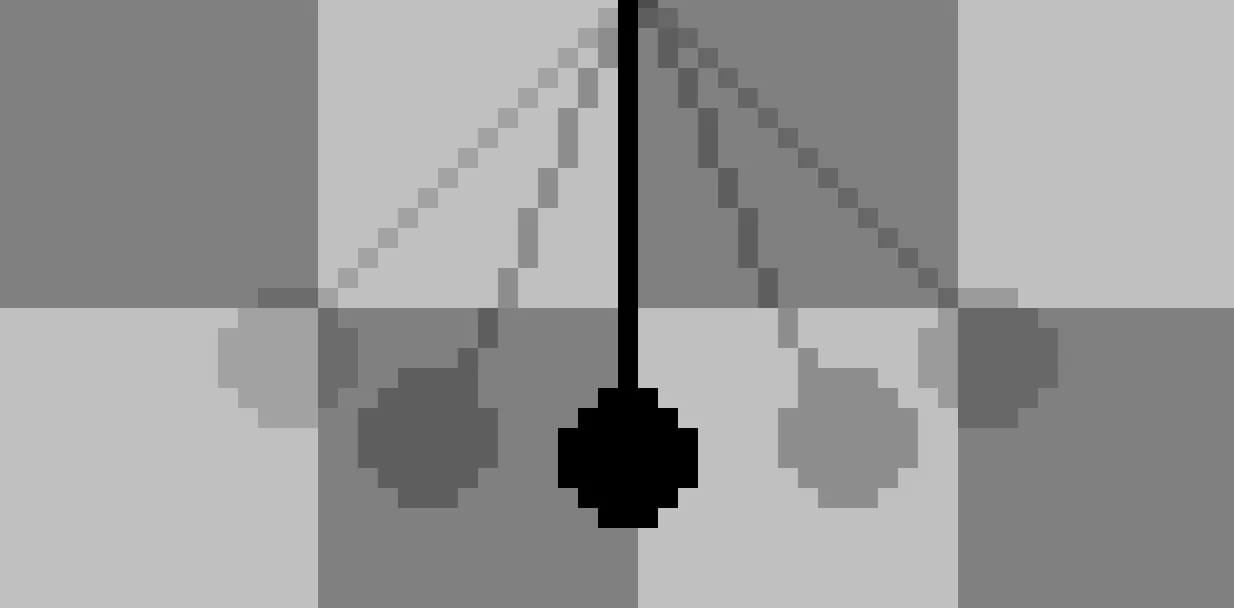 All of the frames are drawn with the same distance between each other.
Animation:
 As you can see the pendulum swings from left to right with even speed.
Then easing in would look like this:
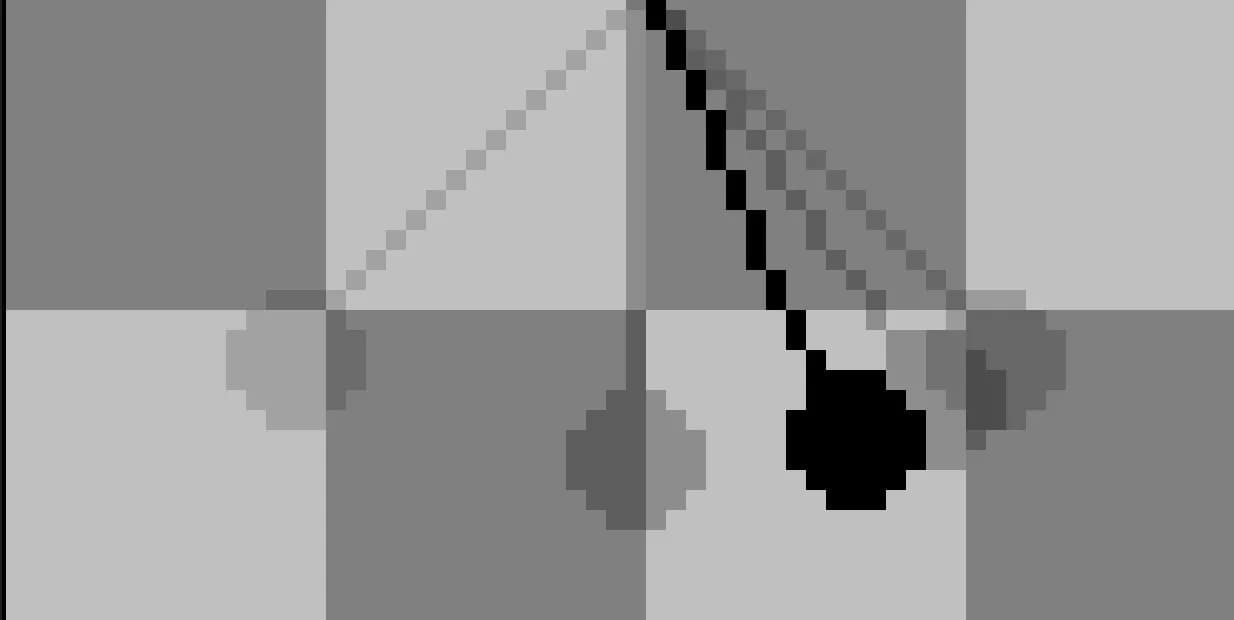 Do you notice that in the latter half of the animation the frames are drawn closer together?
The movement “eases in” to the final position.
Do you notice that in the latter half of the animation the frames are drawn closer together?
The movement “eases in” to the final position.
This is how it looks like animated:
 You can clearly see that the movement starts really fast and then slows down towards the end.
Easing out
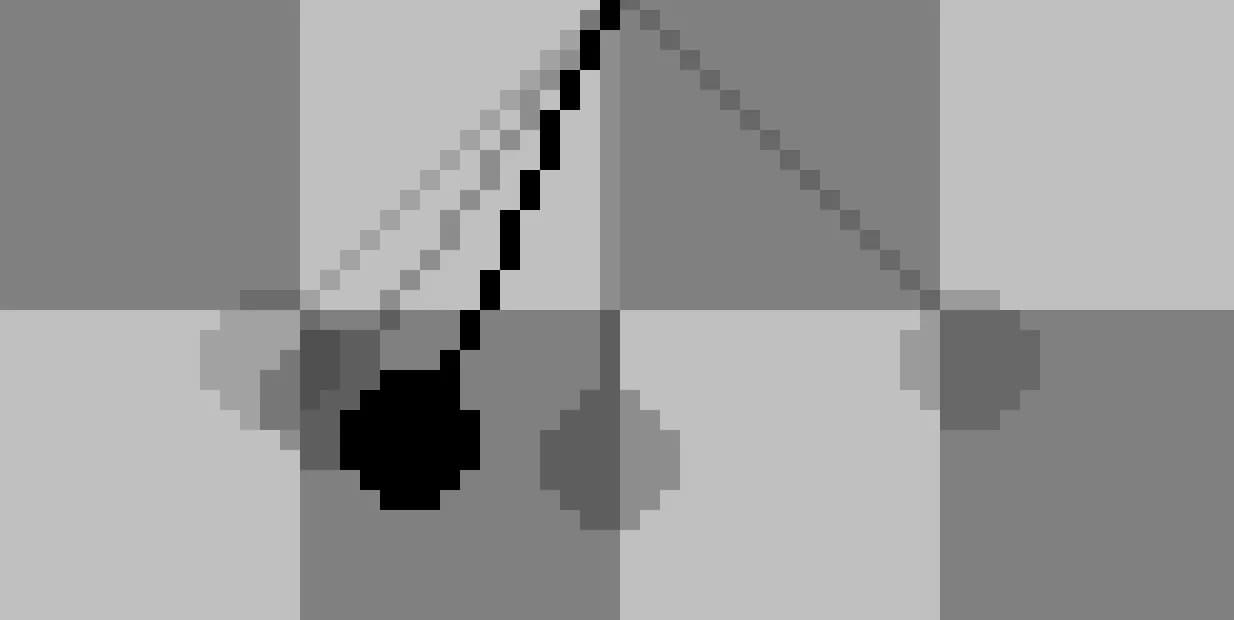
By now you can probably guess how the easing out animation looks like. It’s the exact opposite of easing in which means that the distance between the drawings inside the frames is smaller in the beginning and bigger towards the end of the motion.
Like this:
And the animation:
 The movement starts slow and then speeds up towards the end.
Spacing, Spaaacing, Spaciiing, Spaaaciiing
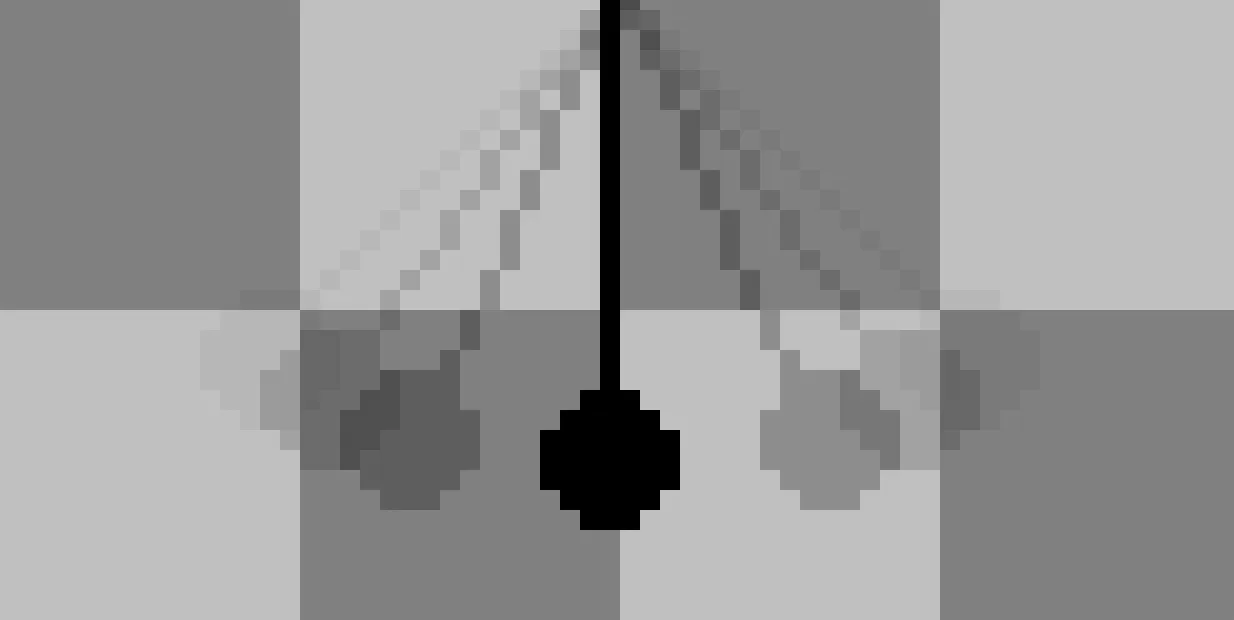
To get the most out of animation you have to combine easing in and easing out when it most makes sense. This is completely up to the object you’re animating and how it should behave. I want my pendulum to ease out of the movement and ease into the end position. To do this I added a few frames (new timing!!) and spaced them out accordingly.
And voila here is the animation:
Notice how smooooth this animation looks now? That’s the power of spacing and easing.
Up Next
The next article in this series will talk about extremes, breakdowns and inbetweens. I hope you enjoyed this article and I’ll see you next time!